




Jonsbo N6 Review
Jonsbo has been building out its N-series of DIY NAS enclosures for some time now, and each entry has attracted a fairly vocal community of home server enthusiasts who are not shy about sharing what works and what does not. The N6 slots in between the compact N4 and the considerably larger N5, and it arrives with what appears to be a very deliberate brief: address the two complaints that followed the N5 from day one. As such, the most honest way to evaluate the N6 is not in isolation but against the feedback that shaped it.
What the N6 Is
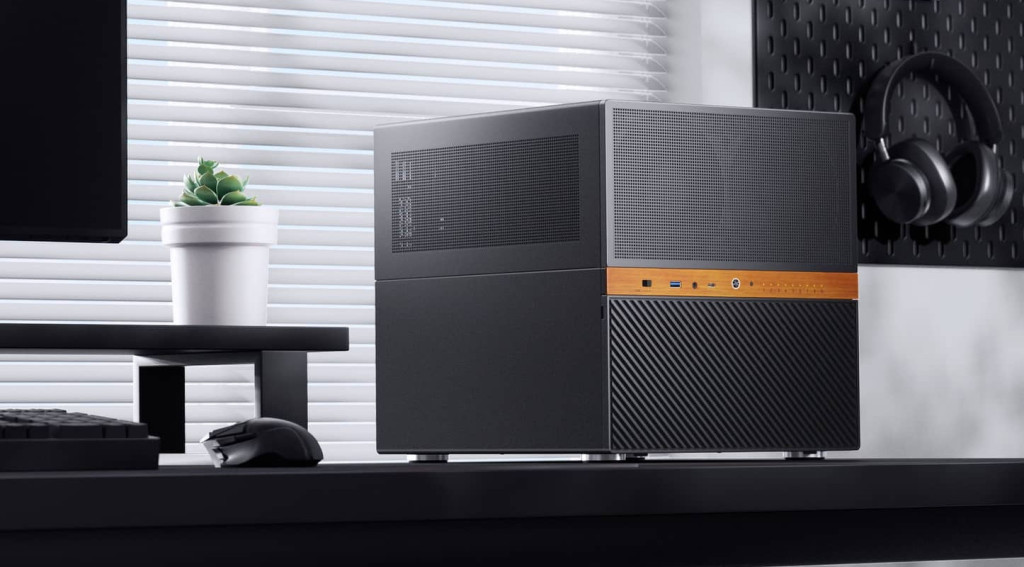
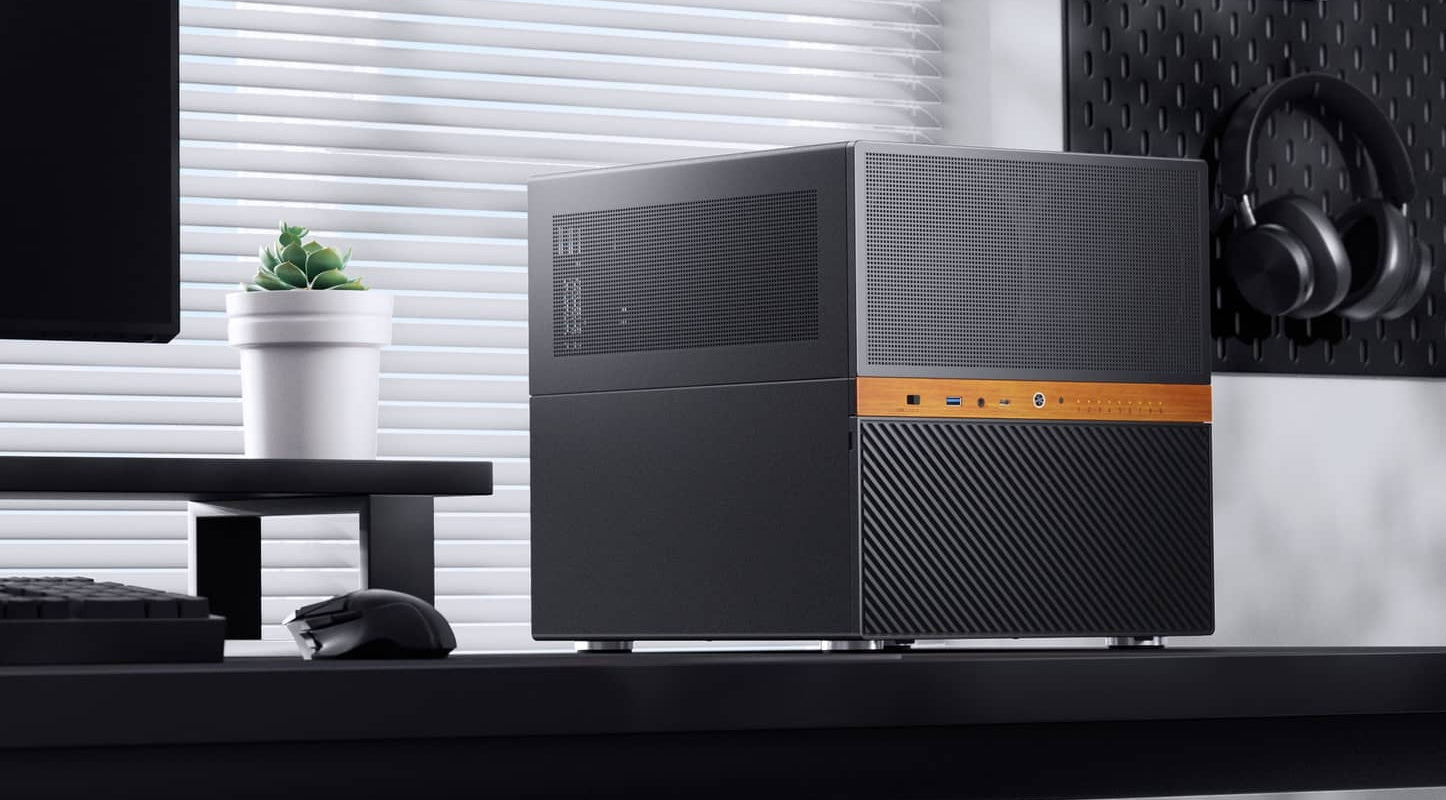
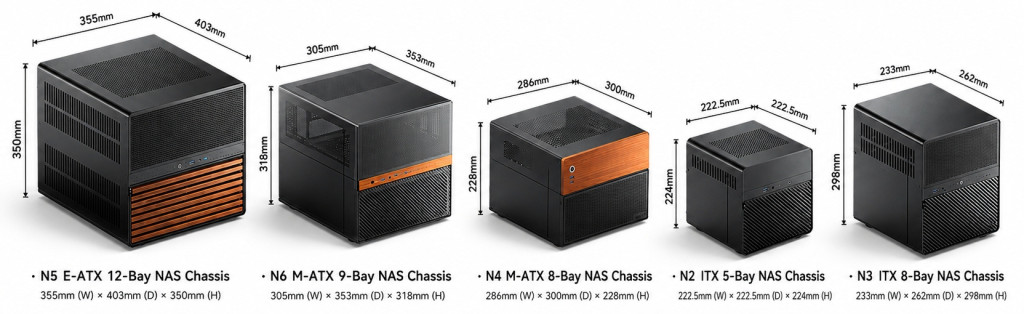
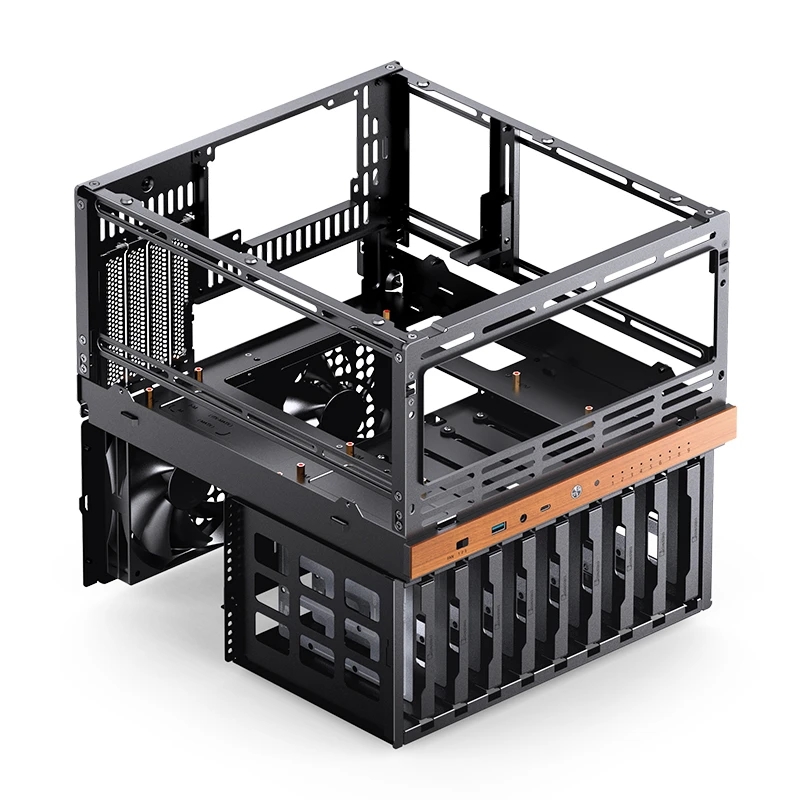
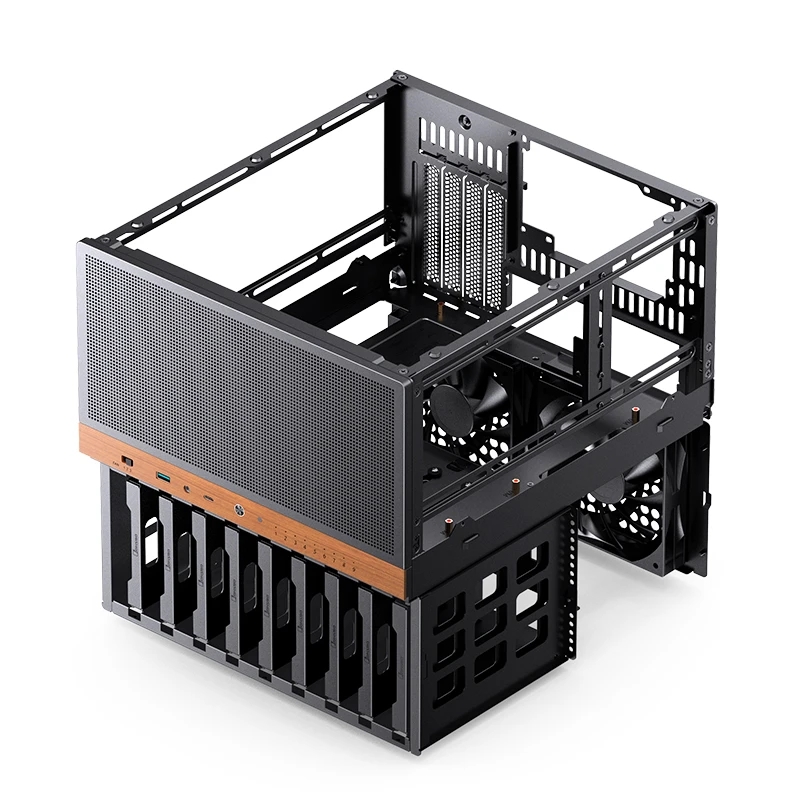
The N6 is a 9-bay desktop NAS chassis supporting a mix of 3.5 inch and 2.5 inch drives, with compatibility for both ITX and Micro-ATX motherboards. It measures 305 by 353 by 318 mm, which makes it noticeably more compact than the N5, and as several owners have pointed out, small enough to sit inside an Ikea Kallax shelf unit. Construction is steel with aluminium accents and the familiar wooden front trim carried over from the rest of the range. The wood is purely cosmetic and does not affect airflow or structural rigidity, though I suspect it will divide opinion just as it has on earlier models.
The Big Fix, Part One: Proper Metal Drive Trays
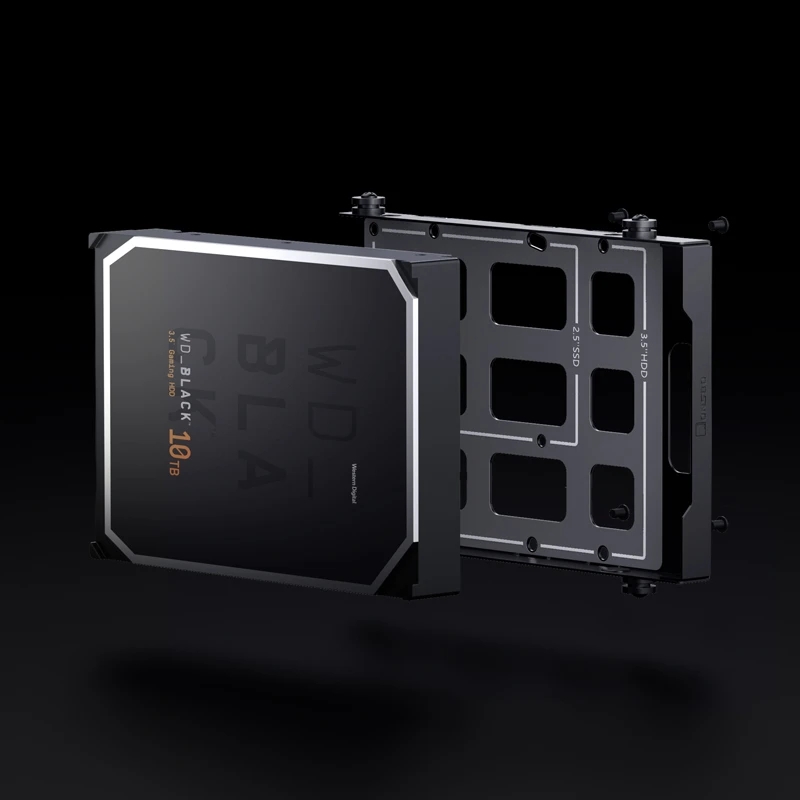
The single most important change Jonsbo has made here is to the drive mounting system. The N5 relied on rubber grommets and pull tabs, which was comfortably its most common complaint among builders. The N6 replaces that arrangement entirely with metal drive trays as standard, each accepting a 3.5 inch or 2.5 inch drive and slotting into a rear mounted backplane. I would not oversell them, though. The trays are functional rather than refined, with no tool free locking mechanism and no individual activity LEDs per bay. The spacing between drives does allow for some passive airflow, which matters in a densely populated array. For anyone who owns an N5 and is hoping to retrofit these trays, the tight tolerances mean backward compatibility is unlikely, so plan around that from the outset.
The Big Fix, Part Two: A Physical Fan Controller
The N5’s other signature problem was its fixed speed DC fan arrangement, which ran at full speed constantly and produced a fair amount of noise in the process. The N6 answers that directly with a three speed fan controller mounted on the front panel. Two 120mm fans come pre installed, one fewer than the N5 shipped with, but the case supports considerably more positions and the controller provides real speed adjustment rather than the N5’s all or nothing behaviour.
The result is a genuinely different acoustic outcome. Where the N5 was going to produce noticeable ambient noise regardless of preference, hands on testing of the N6 reports manageable noise levels and a relatively straightforward build experience. That is the core takeaway here. The two headline features map almost one to one onto the N5’s two biggest complaints, which tells you that Jonsbo iterated on real user feedback rather than simply adding features for the sake of it.
Storage and the Backplane
All nine bays live in a dedicated lower compartment, physically separated from the motherboard area, which helps with cable management and keeps drive heat away from the CPU and any expansion cards. The backplane offers four power inputs and, while it uses standard SATA data connectors, it physically supports SAS drives at the connector level. There is a real limitation here that I feel is important to state plainly: this is not a Mini-SAS multi lane backplane, so anyone hoping to run a proper SAS expander or HBA setup will not get that capability from the N6. It is the most common unmet wish in community feedback and a fair thing to flag for prospective buyers.
On power, Jonsbo’s own guidance is useful. Three power inputs are usually sufficient for ordinary SATA or SAS mechanical drives, but enterprise drives with higher startup current draw warrant filling all four inputs. Maintaining at least a 5 mm gap between drives of different thicknesses for ventilation is also recommended.
Motherboard, PSU and Cooling Flexibility
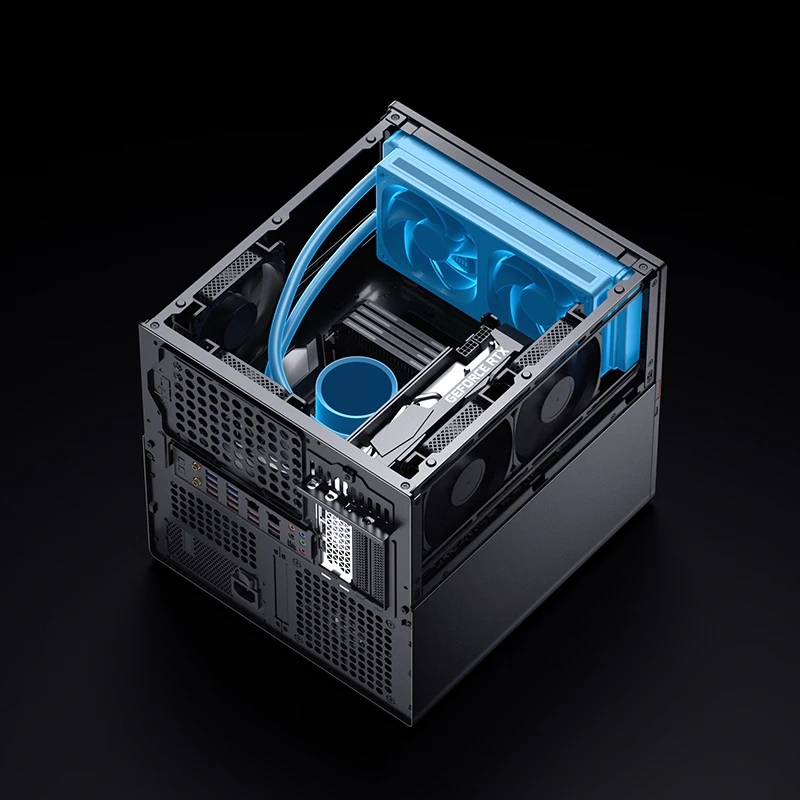
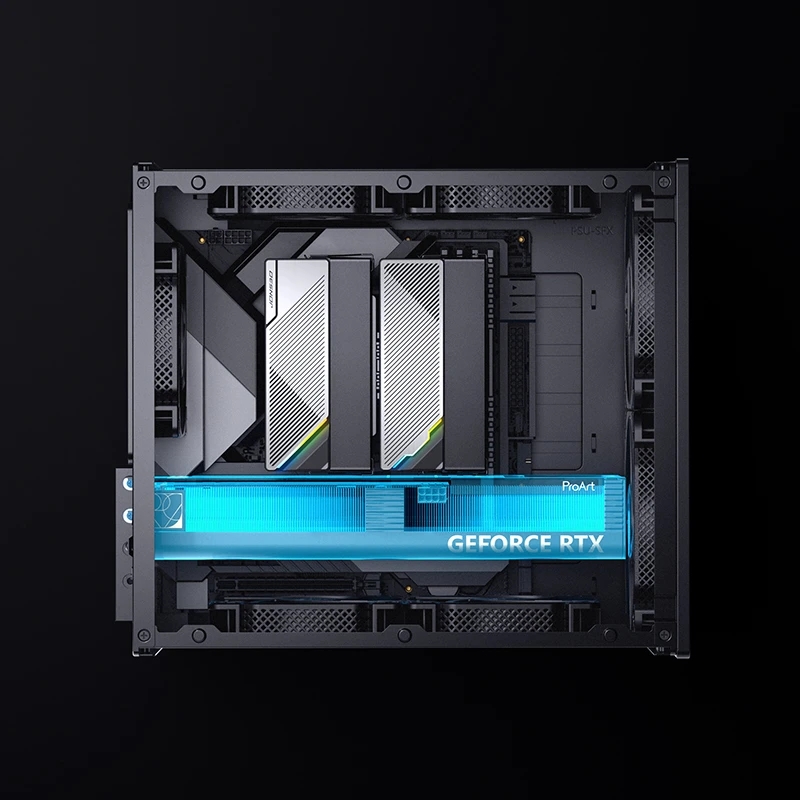
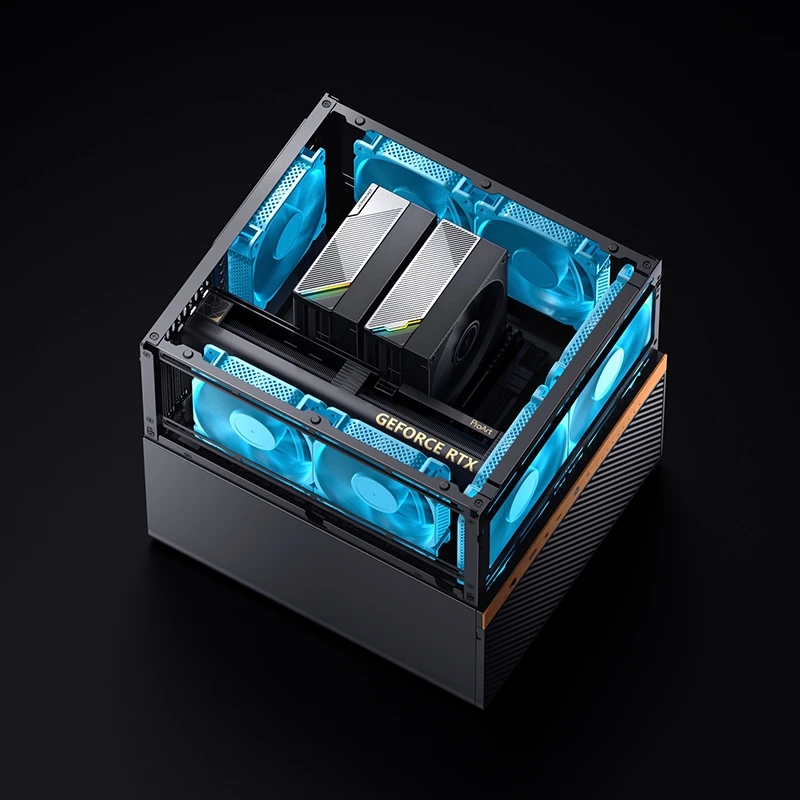
One point to be clear on up front: the N6 is ITX and Micro-ATX only. ATX board support is effectively absent, so anyone moving across from the E-ATX capable N5 should not assume the same flexibility applies here.
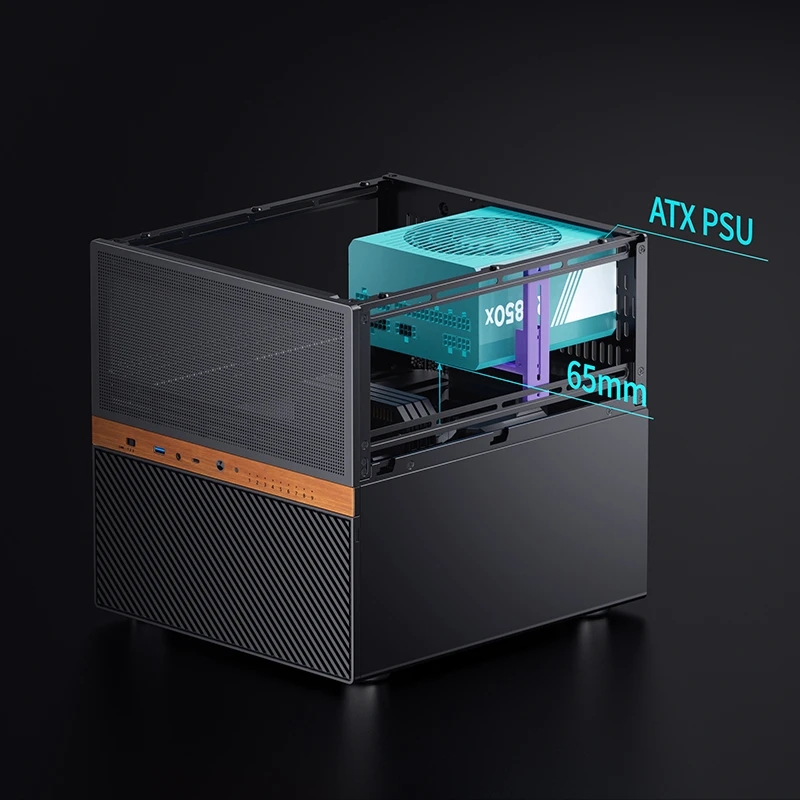
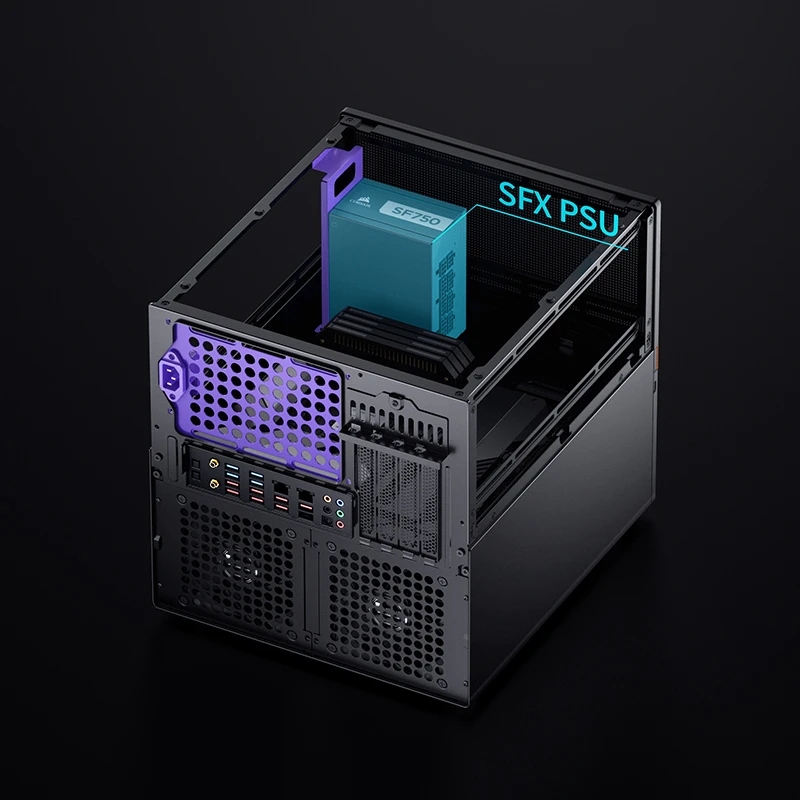
Where the N6 does shine is in PSU mounting. It offers three PSU positions and even supports dual PSU configurations for redundancy, which is a genuinely useful option for always on server builds. There is a non obvious trade off here that the spec sheet does not make immediately apparent: mounting an ATX power supply above the motherboard drops the CPU cooler clearance from 160 mm down to just 65 mm. That is a significant swing, and it is exactly the kind of thing that catches out a buyer who does not read the manual closely.
Fan support is generous, with up to seven positions across front, rear and side panels, and the pc case accommodates a 240mm radiator for AIO liquid cooling, which represents a real step up in cooling flexibility for a chassis of this size. GPU clearance runs to roughly 275 to 320 mm, which covers most mid range cards but constrains the largest triple slot flagships.
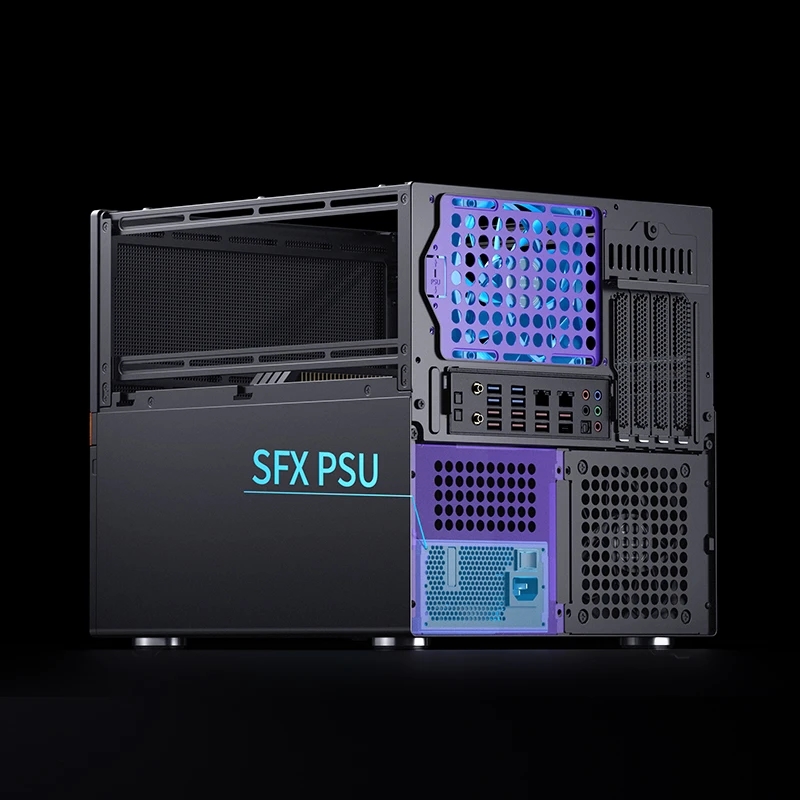
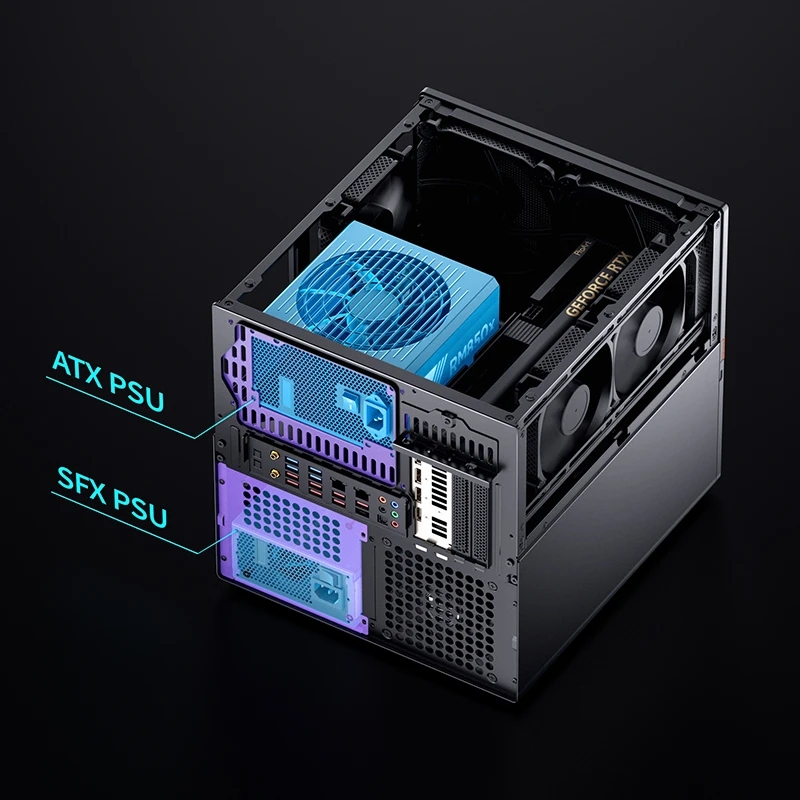
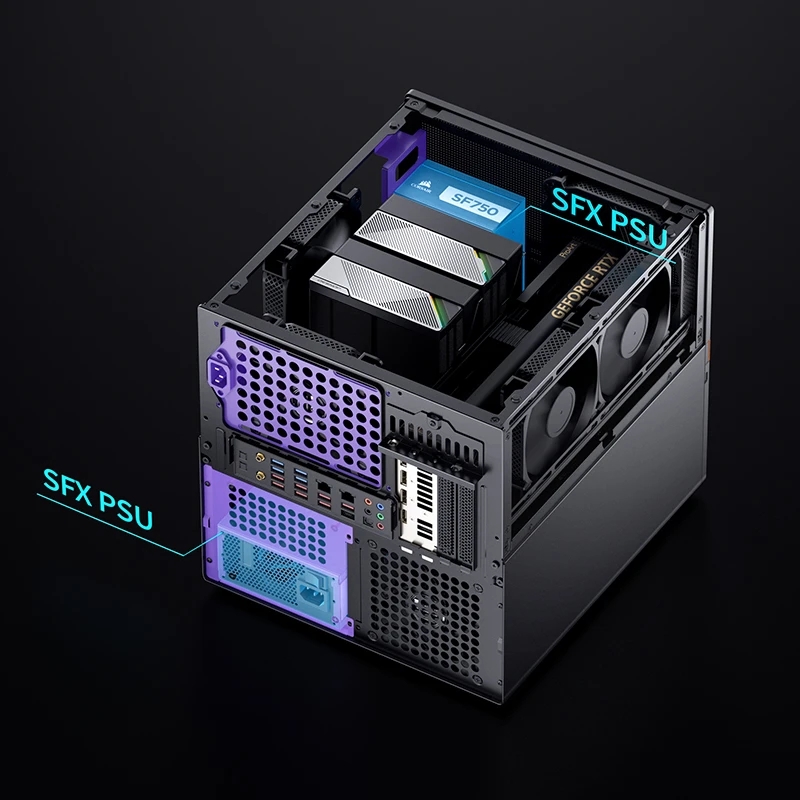
Expansion and Routing
PCIe expansion is strong for the category, with up to four full height slots available. That is enough for an HBA, a network card or a discrete GPU, provided you respect length and thickness limits. Clearance does get tight when combining multiple expansion cards with the side mounted fans, especially on the lowest slot, so planning that combination carefully before committing is advisable.
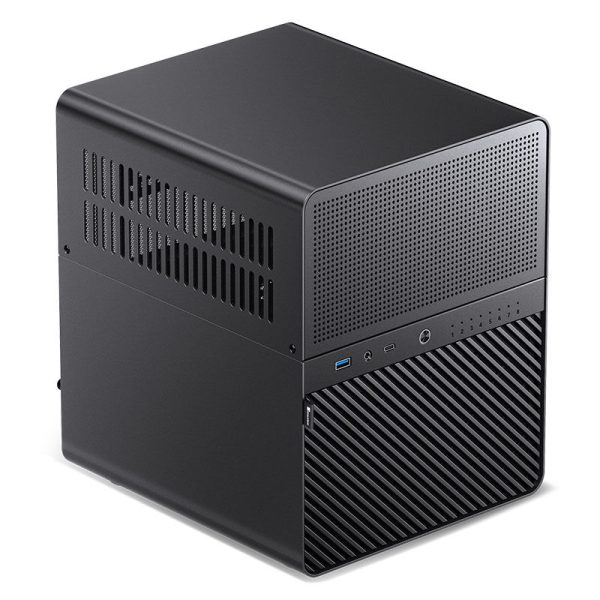
One practical build tip: route your SATA or SAS fan out cables before final motherboard installation, particularly in Micro-ATX configurations, because access is considerably easier before the board is in the way. The front I/O panel is a nice touch as well, offering a 10 Gbps USB-C port, a 5 Gbps USB-A port, a combined audio jack and nine individual drive status LEDs for monitoring array health at a glance.
What Is Still Missing
The N6 is a genuinely new product, so it has not yet accumulated the kind of long term, months later feedback that the N5 has. Two gaps stand out today: the lack of a proper Mini-SAS backplane for the enthusiast and prosumer crowd, and the absence of ATX motherboard support. Neither is a dealbreaker for the audience this case is aimed at, but both are things a prospective buyer should be aware of before committing.
Who Should Buy It
- SKU: GEJB-143
- MPN: N3
- EAN: 6970620553184
- Available for Collection
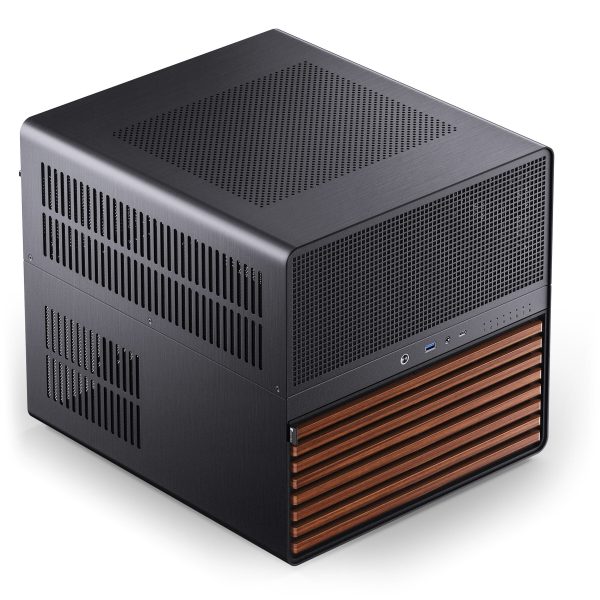
- SKU: GEJB-157
- MPN: N5
- EAN: 6970620554006
- Available for Collection
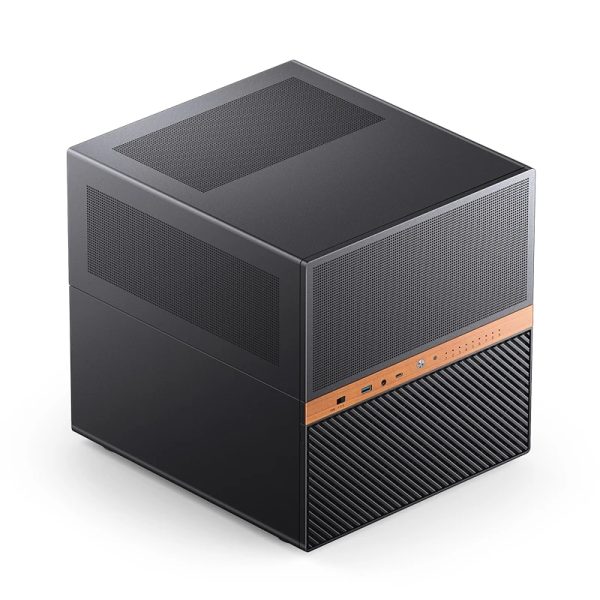
- SKU: GEJB-185
- MPN: N6 Black
- EAN: 6970620555522
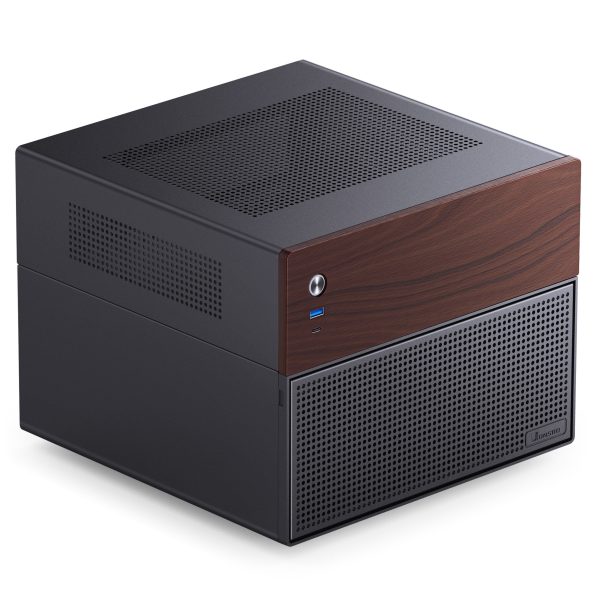
- SKU: GEJB-149
- MPN: N4 BLACK
- EAN: 6970620553764
- Available for Collection
For anyone looking for a compact, well presented NAS chassis for an ITX or Micro-ATX build, and who found the N5 too large or too loud, the N6 is the more refined choice in Jonsbo’s current lineup. It addresses the two things people complained about most, adds meaningful cooling and PSU flexibility, and stays compact enough for a shelf. It deliberately stops short of replacing the larger, more expandable N5, so if you need E-ATX support, more than nine bays or a true SAS backplane, the N5 remains the case to consider. For most home server and Proxmox-style builds, however, the N6 is the one I would point people towards first. Just decide on your PSU mounting position before you commit, because that single choice dictates your cooler clearance and, by extension, the thermal headroom available to you.