Features
- Front mesh cover with dust filters
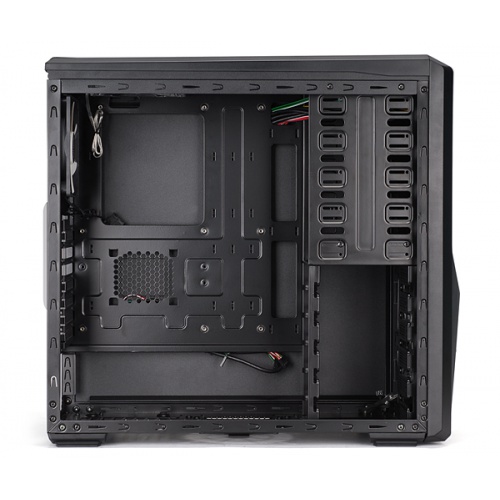
- Black interior coating
- Tool free HDD installation with anti-vibration rubber
- Supports 290mm long graphics cards
- Supports up to 7 system fans (two supplied) *
- Supports up to 7 system fans (four supplied) **
- 2-channel fan controller with temperature display **
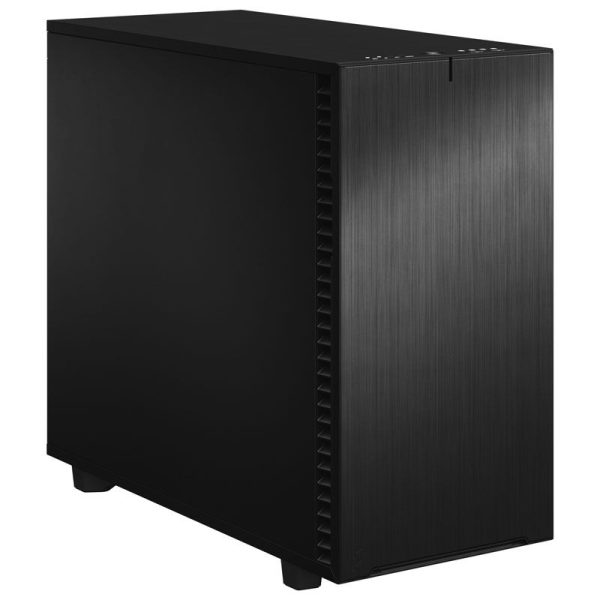
Front Mesh Cover With Dust Filters
The front mesh bay cover allows cool air to enter the system, while the dust filters prevent dust build-up inside the case.
Supports Up to Seven Fans
A total of seven fans can be installed in the case. This will help to introduce and expel air effectively from the case, resulting in lower operating temperatures.
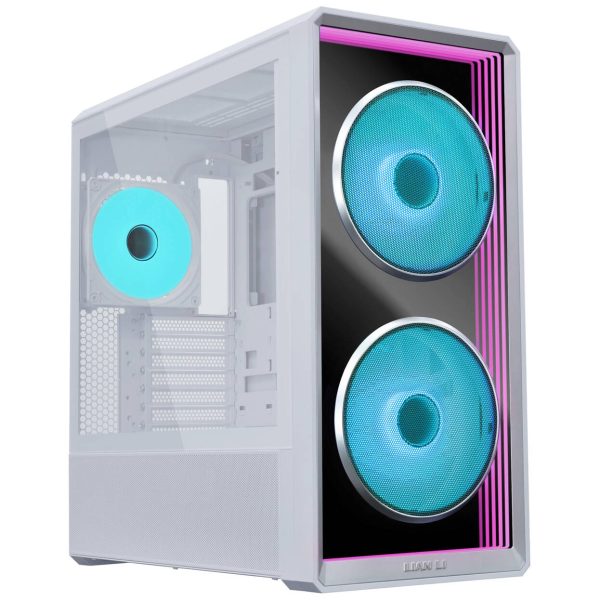
Z9 – supplied with two 120mm fans; one blue LED fan at the front and a standard white blade fan to the rear.
Z9-Plus – supplied with four 120mm fans; one blue LED 120mm fan installed at the front, top and side of the case and a standard white blade fan to the rear.
Supports Bottom PSU Installation and Cut-out for Cable Management
To keep the PSU as cool as possible, the cases have a bottom PSU configuration. There are also cut-outs to allow for tidy cable management.
Black Interior Coating
The interior of the chassis is coated black to provide a sense of unity and elegant design.
Tool Free HDD Installation with Anti-Vibration Rubber
The server-type tool-free HDD mount trays allow for easy HDD installation/removal and maintenance. All HDDs are mounted using anti-vibration rubber mounts to aid in reducing HDD noise.
Spacious Interior for Installing 290mm Graphics Cards
The interior has been designed to be spacious for easy installation and maintenance of various components, including graphics cards up to 290mm long.
Front I/O module for Easy Component Change
The front I/O module enables the location of the DVD-ROM and other components to be changed easily according to the required configuration.
Two Channel Fan Controller and Temperature Display (Z9-Plus only)
The Z9-Plus case has a built-in two channel fan controller for adjusting the speed of up to two connected fans. The ambient temperature of the case is shown using an LED temperature display. By controlling the noise and interior temperature with the fan speed controller, the system can be operated in the optimum condition.
On the front I/O module there are microphone and headphone sockets and four USB 2.0 ports for the users convenience and expandability (on both Z9 and Z9-Plus cases).
Side Cut-outs to Show off The Components
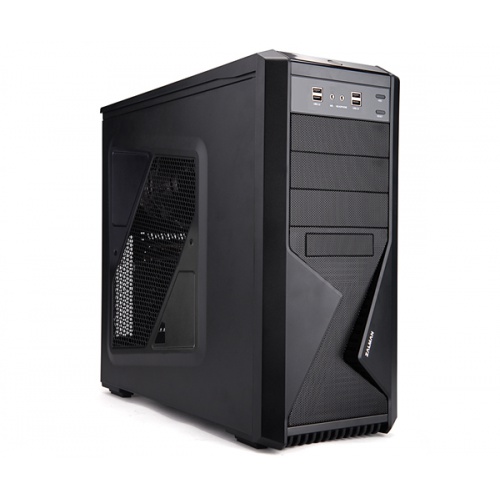
The side of the Z9 and the Z9-Plus features a Z shaped cut-out.
This works in two ways:
Firstly, you can mount up to two 120mm fans to bring in cool air directly over the motherboard.
Secondly, the cut-out allows for the installed components to be seen.
The cut-outs are different between the two cases. The Z9-Plus has a larger side panel cut-out. This is ideal if you like to show off your PC!
Front and Bottom Dust Filters
Dust filters in the front and bottom mesh covers prevent dust from entering the system and help to keep the internal components dust-free.
Supports Solid State Drive (SSD)
Space is provided on the back of the motherboard plate for installing a single 2.5 HDD/SSD. There is also a 3-in-1 tray that makes it possible to install an FDD / 3.5 HDD / 2.5 HDD/SSD.
Motherboard Mounting Hole for Convenient CPU Cooler Installation
The Motherboard tray features a cut-out to allow quick and easy access to the bottom of the motherboard for convenient CPU cooler installation/removal without having to remove the motherboard from the case.
Watercooling Holes for Liquid Cooling Systems
If you are into watercooling your components, at the back of the case you will find two watercooling holes allowing the pipes to be fed into the system.
Specifications
| Z9-Plus | Z9 |
|---|
| Enclosure Type | ATX Mid Tower |
| Dimensions | 207(W) x 464(H) x 504(D)mm |
| Weight | 7.2kg | 7.0kg |
| Material | Plastic and Steel |
| Motherboard Compatibility | Standard ATX / m-ATX |
| Power Supply Compatibility | Standard ATX / ATX12V |
| VGA Compatibility | Full Size (290mm max) |
| Expansion Slots | 7 |
| Drive Bays | External 5.25 x3, Internal 3.5 x5, External 3.5 x1, Internal 2.5 x1 |
| Front Fans | Space for 120mm/140mm fan x 1 (One 120mm Blue LED fan supplied) |
| Top Fans | Space for 120mm/140mm fan x 2 (One 120mm Blue LED fan supplied) | Space for 120mm/140mm fan x 2 (not supplied) |
| Bottom Fans | Space for 120mm/140mm fan x 1 (not supplied) |
| Rear Fans | Space for 120mm fan x 1 (One white blade 120mm fan supplied) |
| Side Fans | Space for 120mm fan x 2 (One 120㎜ Blue LED fan supplied) | Space for 120mm fan x 2 (not supplied) |
| Front I/O Ports | Mic x 1, Headphones x 1, USB 2.0 x 4, Fan Controller, Temperature Display | Mic x 1, Headphones x 1, USB 2.0 x 4 |
| EAN barcode | 8809213762123 | 8809213762116 |